The search box and suggestions
The search box takes words, phrases or a whole question. As you type, 4Search suggests searches you might mean. Press Enter to search.
#Search
- Select the box. Its placeholder reads Search or ask anything…
- Type your words or question.
- Press Enter, or select the magnifying glass. On a phone, use the Search key on the keyboard.
The box grows to about five lines as you type, then scrolls. Press Shift + Enter to start a new line. When you search, line breaks and extra spaces are replaced by single spaces, so the search is the same as if you had typed it on one line.
The same box is at the top of every results page. The words you searched stay in it, so you can add to them and search again.
#Pick a suggestion
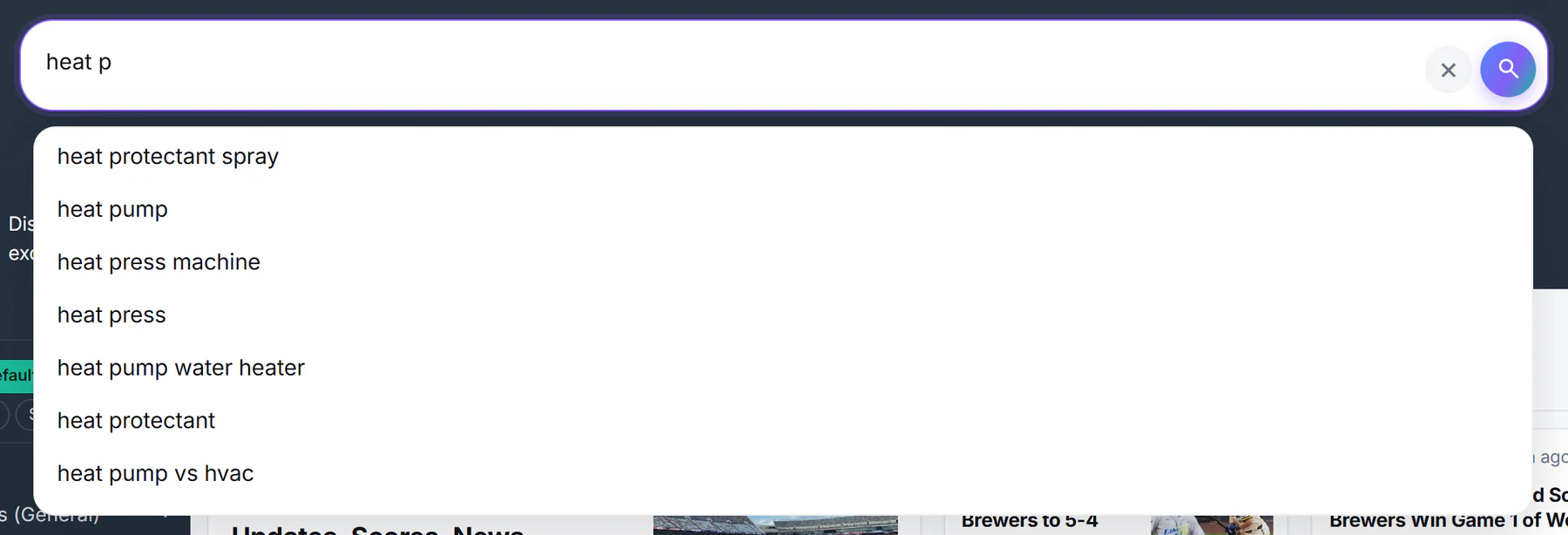
Typing heat p shows suggestions. A suggestion fills the box; you then press Enter to search.
- 1What you have typed so far
- 2A suggestion: choose it to fill the box
- 3Clears the box
- 4Runs the search
After you type two letters, a list of up to ten suggestions appears under the box.
| To do this | Do this |
|---|---|
| Move through the list | ↓ and ↑ |
| Choose the highlighted suggestion | Enter, or select the suggestion |
| Close the list | Esc, or select anywhere else |
Choosing a suggestion fills the box but does not search yet. Press Enter again, or select the magnifying glass. If you highlight nothing, Enter searches what you typed.
Suggestions are general search completions. They are not limited to what 4Search has coverage for, so a suggestion does not promise results.
#Clear the box
Select the × at the right of the box to clear the text and keep typing. The results page stays on screen until you search again.
#Write searches that work
- Plain words work.
how do I cut my heating billfinds articles on the idea, not only on those words. See How 4Search finds and orders results. - Capitalize names.
Taylor Swiftis read as a name and favors articles about that person. - Add a time phrase to set the age:
school closings today,tariffs last week. See Choose a time window. - Add an operator to use Google's precision on the Web column:
site:energy.gov, a quoted phrase, a minus sign. See Google-style operators. - A website name or address such as
youtube.commay open the Websites tab. See Why a search opens on News, Shopping or Websites.
#Common questions
Why did pressing Enter not search?
If a suggestion was highlighted, Enter chose it. Press Enter again to search.
How do I type a new line?
Press Shift + Enter. The line break is turned into a space when you search.
Why do I see suggestions for things 4Search does not cover?
Suggestions are general completions of what you have typed so far, not a list of what is in the index.
Is there a limit to how long a search can be?
The box accepts long text. On the News and Websites tabs, searches over 160 characters leave out the Web column. See The Web column.